The window
The left panel holds the conditions. The right side shows the result and the output.
Parts of the window
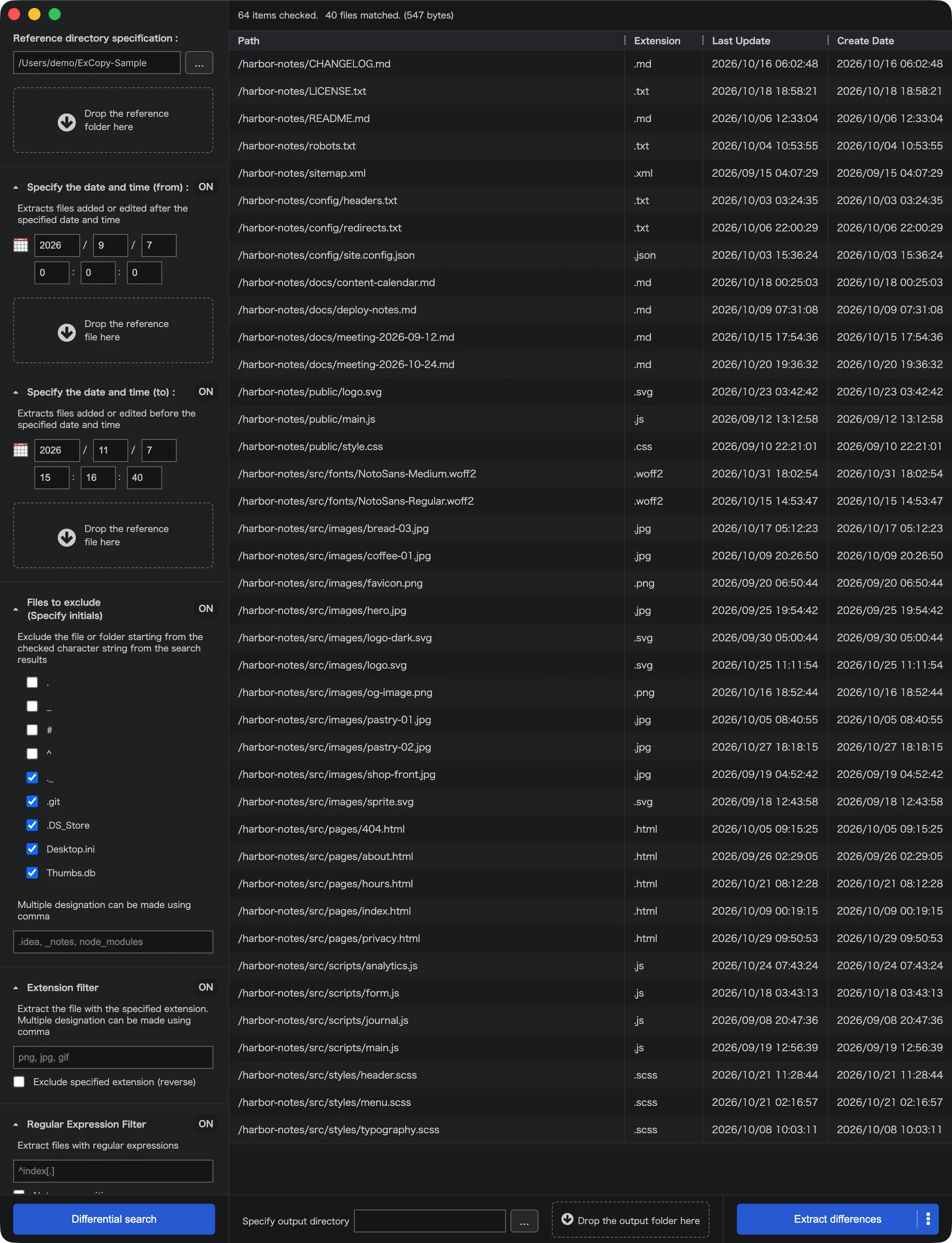
- Left panel: the reference folder, the date and time, and the narrowing options. Each option opens and closes. An option is ON while it is open, and OFF while it is closed.
- List: the files that matched. The top shows how many items were checked. Each row has the path, the extension, the last update and the create date.
- Output: the output folder, and the buttons to extract the files or copy the path list.
Buttons
- Differential search searches the reference folder. While it runs, the button becomes Stop, and pressing it asks whether to stop the search.
- Extract differences copies the files in the list to the output folder.
- Copy path list copies the paths in the list to the clipboard.