By date
Set a date and time, and ExCopy lists the files added or edited after it.
Choose the folder
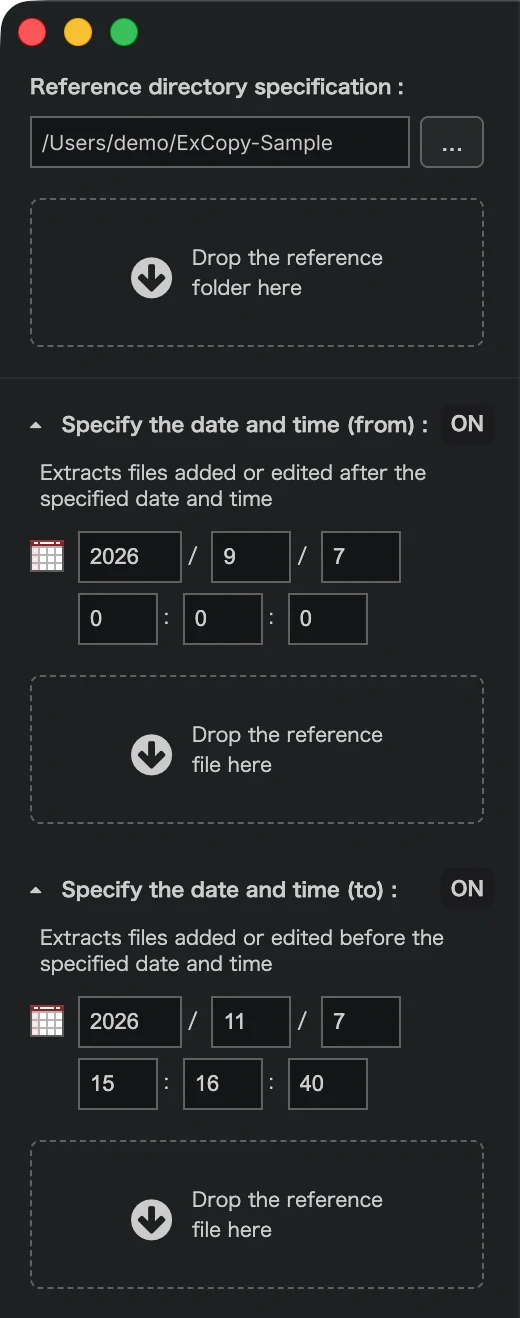
Drop the reference folder onto the left panel, or press ... to pick one. ExCopy searches everything inside it, including subfolders.
Set the date and time
- Open Specify the date and time (from). Search options turn ON when opened and OFF when closed.
- Enter the date and time. Files added or edited after it are extracted.
- Or drop a reference file onto the panel to use it as the base.
- Press Differential search.
Set the end point (to)
Open Specify the date and time (to) in the same way. Files added or edited at or before that date and time are extracted.
Use from and to together to pick a period: only the files edited after from and at or before to are listed. Close from to turn it OFF, and every file edited up to to is listed.
Both compare against the last update date of each file, not the create date.
Check the list
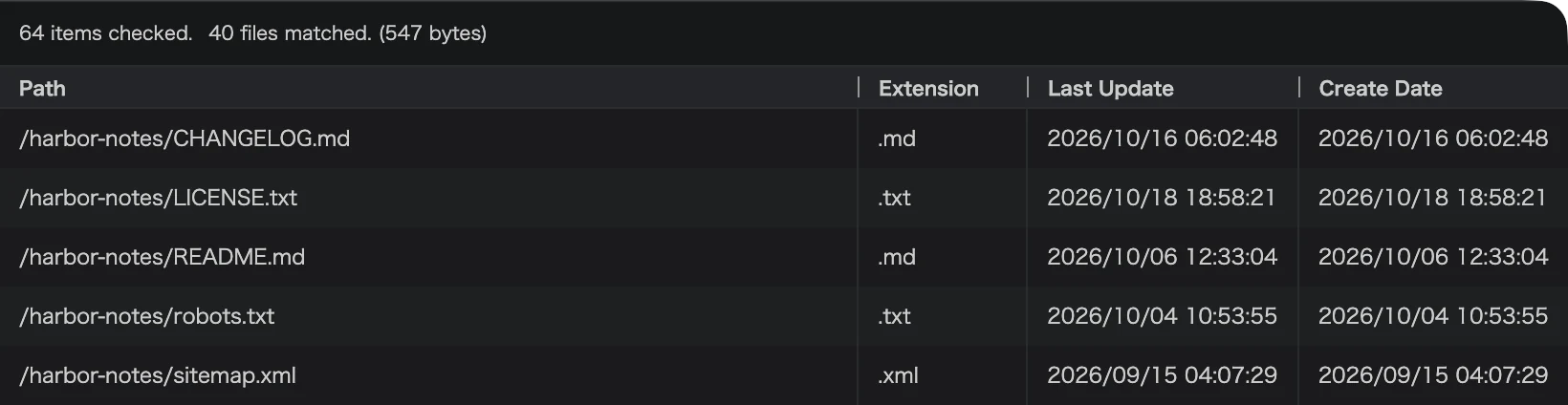
The top of the list shows how many items were checked and how many files matched. Each row has the path, the extension, the last update and the create date.
Narrow it down
ProAvailable in the Pro edition.
Exclude files by their first characters, filter by extension, or match with a regular expression. Each has its own page.