Exclude files
Leave out the files and folders whose names start with the characters you check.
ProAvailable in the Pro edition.
Check what to exclude
Open Files to exclude. Every file or folder whose name starts with a checked string is left out of the results. A folder that starts with it is skipped, with everything inside.
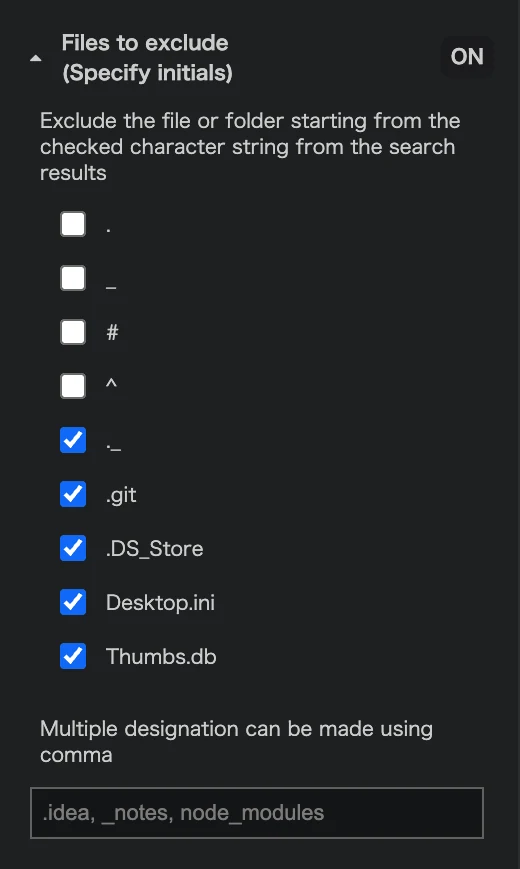
- Single characters:
._#^ - Names:
._.git.DS_StoreDesktop.iniThumbs.db
._, .git, .DS_Store, Desktop.ini and Thumbs.db are checked at first.
Add your own
Type the first characters in the text box, separated by commas, such as .idea, _notes, node_modules.